

Dynamic Island.
Engineered for Windows.
Winland brings the fluid, interactive floating island experience to Windows 10 & 11. Control system media playback, launch favorite apps, and view real-time notifications with native C# performance and zero battery drain.
Test the Island in Your Browser
Click the mode buttons or click directly on the Dynamic Island below to experience authentic Winland physics, animations, and states.
Designed for Your Windows Workflow
See how Winland seamlessly integrates into your desktop, from compact idle indicators to full-featured media management and quick app launching.
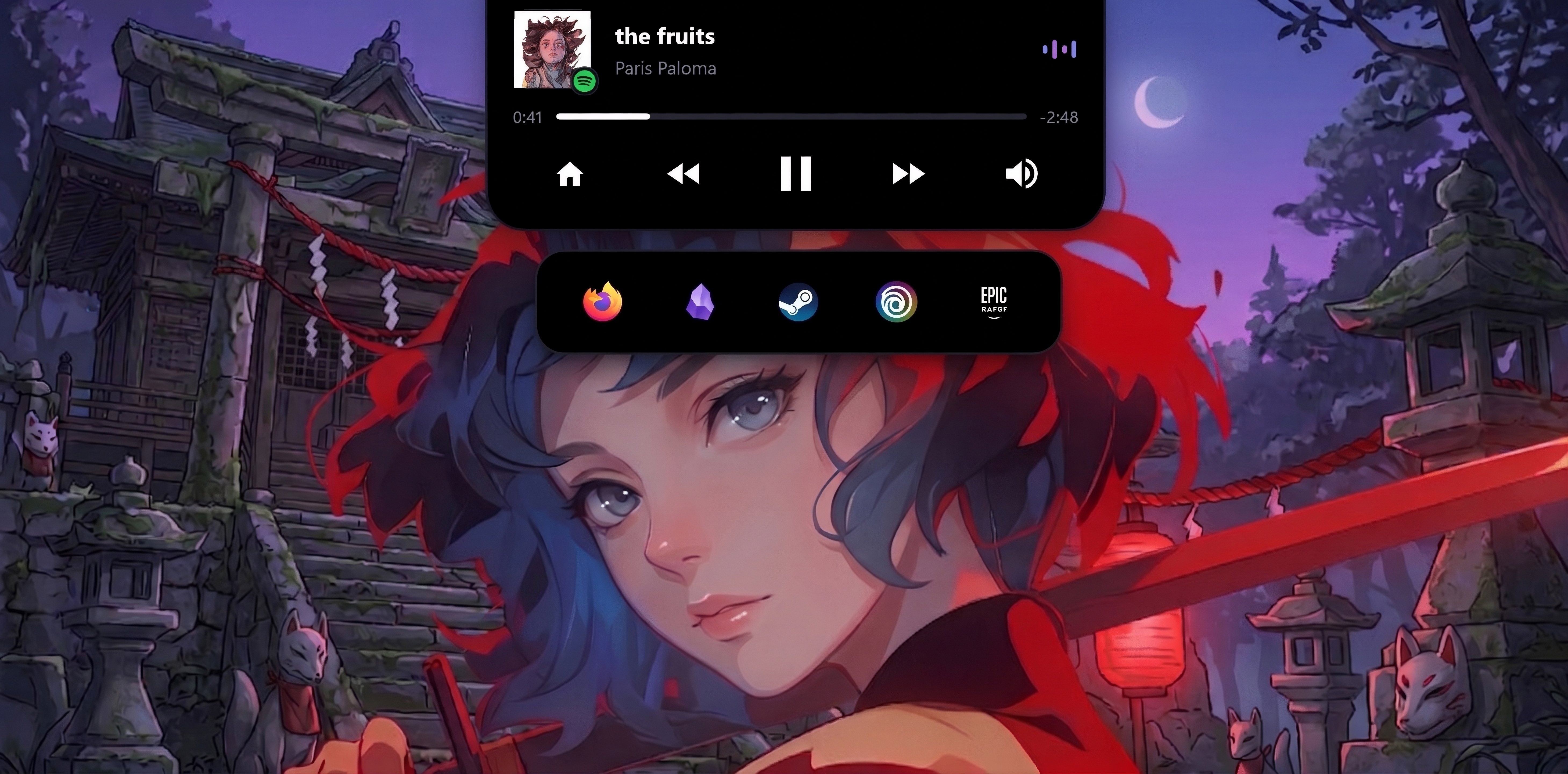
Integrated App Launcher Dock
Quick-launch your favorite apps, browsers, and game launchers right beneath the island.
Every Detail in Your Control
Winland includes a comprehensive native settings suite. Customize trigger distance, clock formats, dock styles, and OLED theme settings to make it truly yours.
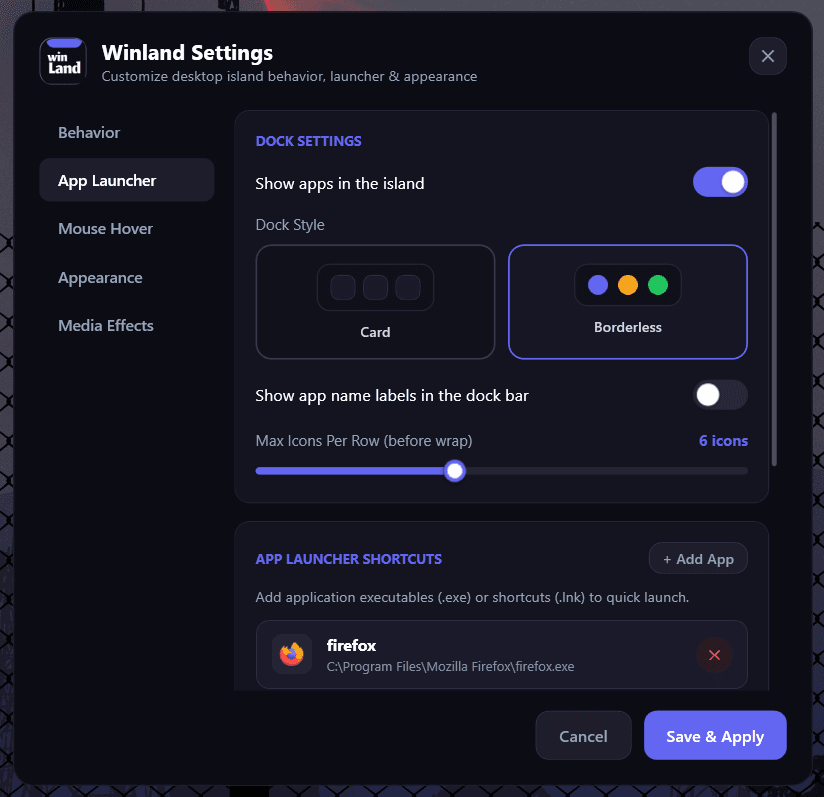
App Launcher & Dock
Launch your essential tools directly from the floating Dynamic Island.
Card vs. Borderless Styles
Choose between a sleek encased card aesthetic or minimalist borderless floating icons.
Max Icons Per Row Slider
Flexibly configure icon density and wrapping threshold (from 3 to 8+ icons per row).
Custom Executable Shortcuts
Add any .exe or .lnk shortcut with native icon extraction and one-click launch.
%AppData%\WinDynamicIsland\settings.cfgUltra-Lightweight Native Architecture
Unlike bloated web-wrapped desktop utilities, Winland is written directly in native C# and WPF on the .NET runtime for zero battery drain and instant responsiveness.
Zero-Bloat Native Architecture
Engineered directly in native C# and WPF without Chromium, Electron, or web runtimes. Runs with near-zero power overhead and 0% CPU consumption during idle states.
Universal GSMTC Media Hook
Directly hooks into Windows Global System Media Transport Controls. Seamlessly controls playback, scrubbing, volume, and track skips for Spotify, Apple Music, YouTube Music, and browsers.
Quick App Launcher Dock
Turn your notch into a high-speed productivity dock. Pin custom applications, game launchers, or terminal shortcuts with instant icon extraction and customizable icon density.
Fluid Magnetic Spring Physics
Crafted with natural kinetic damping curves. Expands smoothly upon cursor approach, scales dynamically with mouse proximity, and auto-collapses with organic inertia.
Multi-Monitor & DPI Aware
Whether you use 1080p, 1440p, Ultrawide, or 4K with fractional scaling (125%, 150%, 200%), Winland calculates exact desktop boundaries and maintains perfect horizontal alignment.
100% Local & Privacy-First
Zero telemetry, zero cloud tracking, zero network requests. All configuration settings and media sessions reside exclusively on your local computer storage.
Technical Specifications
Winland runs on any standard Windows installation with zero external dependencies.
Runtime & Architecture
- Operating SystemWindows 10 (1809+) & Windows 11
- Engine / FrameworkC# • Windows Presentation Foundation (WPF)
- Runtime RequirementNative Windows .NET Desktop Runtime
- Processor Architecturex64, ARM64
- Resource OverheadNear-Zero Idle Footprint
Distribution & Security
- Distribution ChannelMicrosoft Store Verified
- Network Usage0 KB / Offline Only
- Data TelemetryNone (100% Privacy-First)
- Config Storage
%AppData%\WinDynamicIsland\ - Privacy PolicyView Privacy Policy →